Minecraft Java Edition · Forge 47.4.0
Join RS-Zone Minecraft
-
Download the modpack ZIP
Save the ZIP to your Downloads folder. Leave it zipped for the import.
-
Open CurseForge and select Minecraft
Install the CurseForge app if you need it. Open Minecraft in CurseForge and click Import.
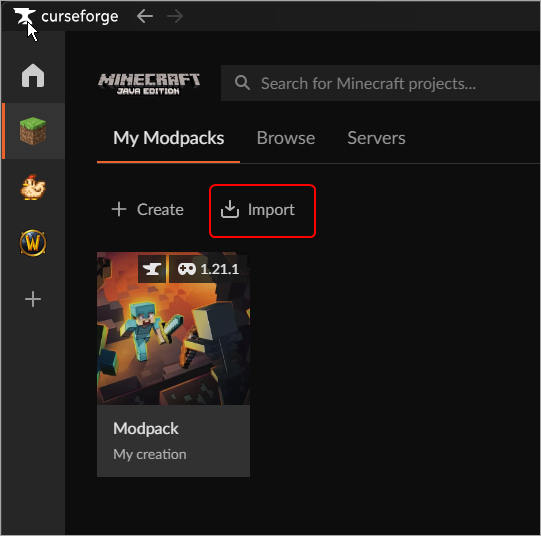
The Import button in CurseForge. CurseForge support -
Import the ZIP
Under Import Profile .zip, click Choose .zip file. Select the RS-Zone ZIP from Downloads and wait for CurseForge to finish installing the pack.
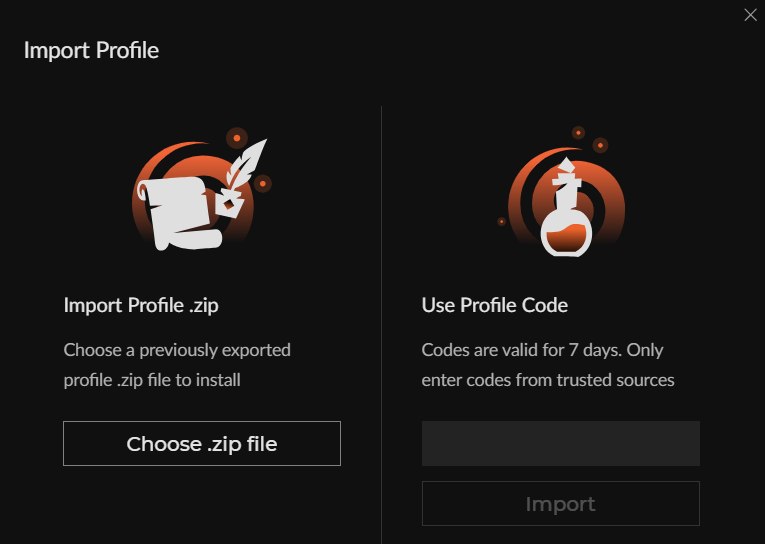
Choose the ZIP from your Downloads folder. CurseForge support -
Launch RS-Zone Minecraft
Find RS-Zone Minecraft in CurseForge and click Play. When the Minecraft Launcher opens, sign in if prompted and click Play there too.
-
Add the server and join
In Minecraft, select Multiplayer and then Add Server. Enter these details.
- Server Name
- RS-Zone Minecraft
- Server Address
rs-zone.com:25566
Click Done, select RS-Zone Minecraft, then click Join Server. If you need whitelist access, send John your Minecraft Java username.